What's new
The new agent is the biggest upgrade to Henosia's agent since we launched it. It's smarter, and it can keep working on big ideas for much longer without losing track. Here is what that means when you build.
It takes on bigger ideas
- It can work on a big request from start to finish, without stopping to ask if it should keep going.
- Its context is five times larger than before, so it keeps track of long conversations. Context is everything the agent has in view while it works on a task: your messages, its replies, and the files it has read.
- When a conversation gets very long, it condenses older messages into a summary for itself instead of forgetting them. The plan you approved stays word for word.
- It gets through your project faster by looking at several things at once.
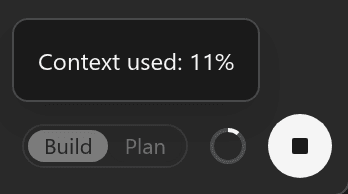
The ring next to the send button shows how much of the agent's context the current task uses.
It plans with you
- New tasks start in Plan. The agent looks through your project and comes back with a plan before it changes anything.
- Reply to change the plan. When it's right, choose Build this plan. See Plan together.
It understands your app
- It knows your pages and how they fit together, so new pages end up in the right place.
- It notices when something breaks while it works, so it can fix it.
- It can read pages on the web, like the documentation for a service you use.
- It follows the conventions you set for your project. Make it yours.
It checks its own work
- It checks each file it writes for errors.
- It reads your app's logs, so it sees crashes that don't show up in the code.
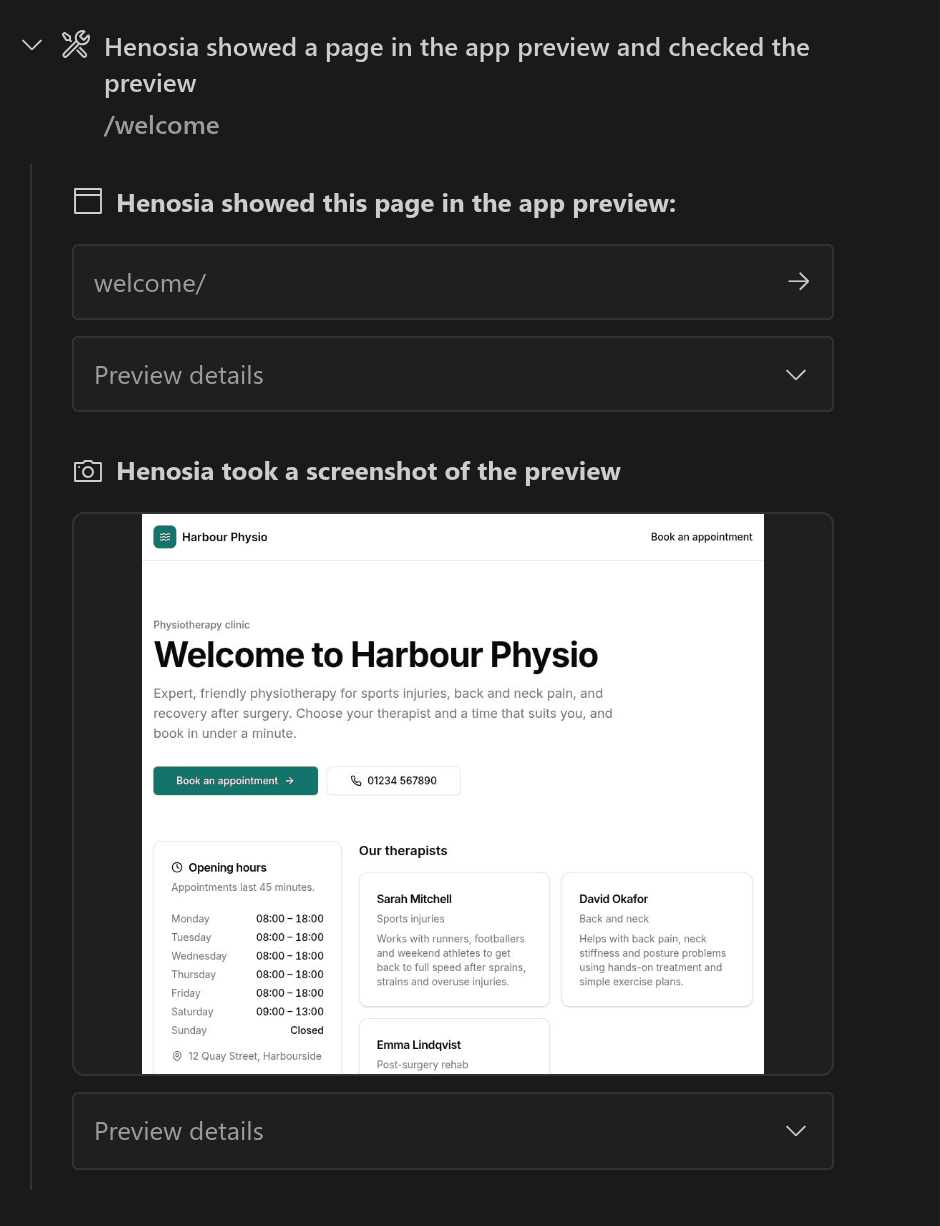
- It looks at your app in the preview as it builds, so it sees what you'll see.
- It tells you what it checked and what it couldn't, instead of assuming everything works.
Fewer interruptions
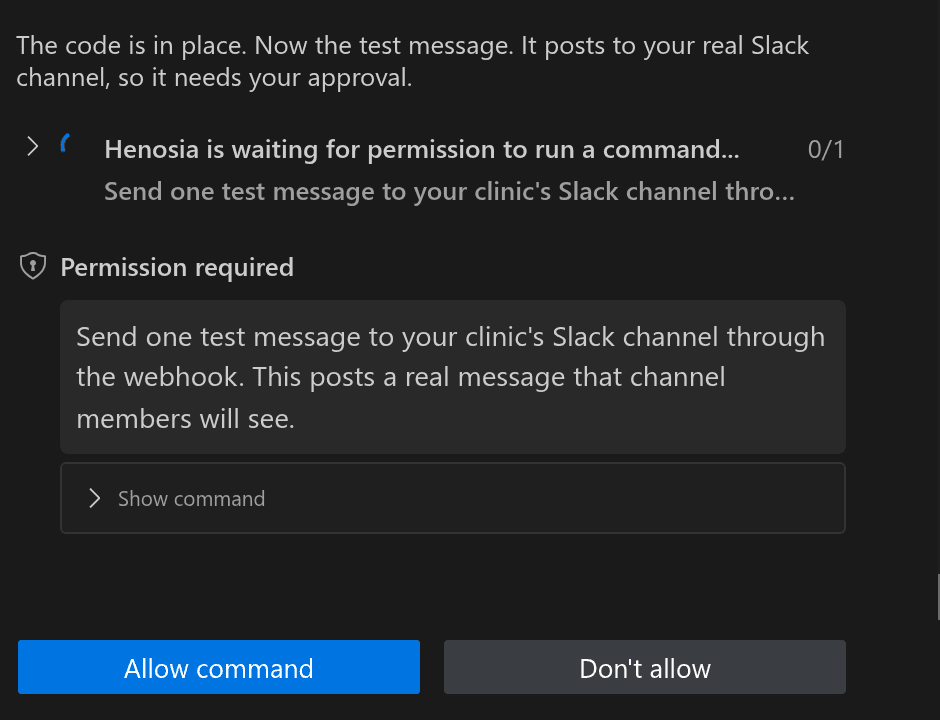
- It asks for permission only before it does something outside your project, such as sending a message, deploying, or spending money.
- Installing packages, deleting files, and running builds and tests go ahead without asking, because Henosia keeps checkpoints you can restore.
- Before it reads a web page, it asks and names the site.
- When it asks, it says in plain language what it wants to do and why. The exact command is one click away.
- When it needs your input, it asks a simple question with options to choose from.
- After you connect Supabase, it picks up where it left off.
Built for working together
- Everyone on a project works with the same agent and sees the same conversations, so you can follow along together.
- Anyone on the project can answer the agent's questions, approve its requests, or stop it.
- When the agent opens a page to check it, everyone's preview follows, so you see what it sees.
- If you reload the page, the agent keeps working and you come back to the same conversation.
- If the agent stops unexpectedly, Henosia restarts it. The task shows as interrupted, and your next message continues it.
- If your connection drops, the message you sent isn't lost.