Welcome
Henosia lets you and your team build internal web tools, workflows, and interactive prototypes by describing how your business works in plain language, with company sign-in and data access controls built in.
You don't need coding experience to build a working app. Describe who uses the tool, what information it tracks, and what rules apply, whether you write in Danish, Swedish, Norwegian, English, or another language. Henosia writes plans, questions, and summaries in your language while keeping the builder's own buttons in English, sets up your pages and database rules, and runs the live app beside your chat.
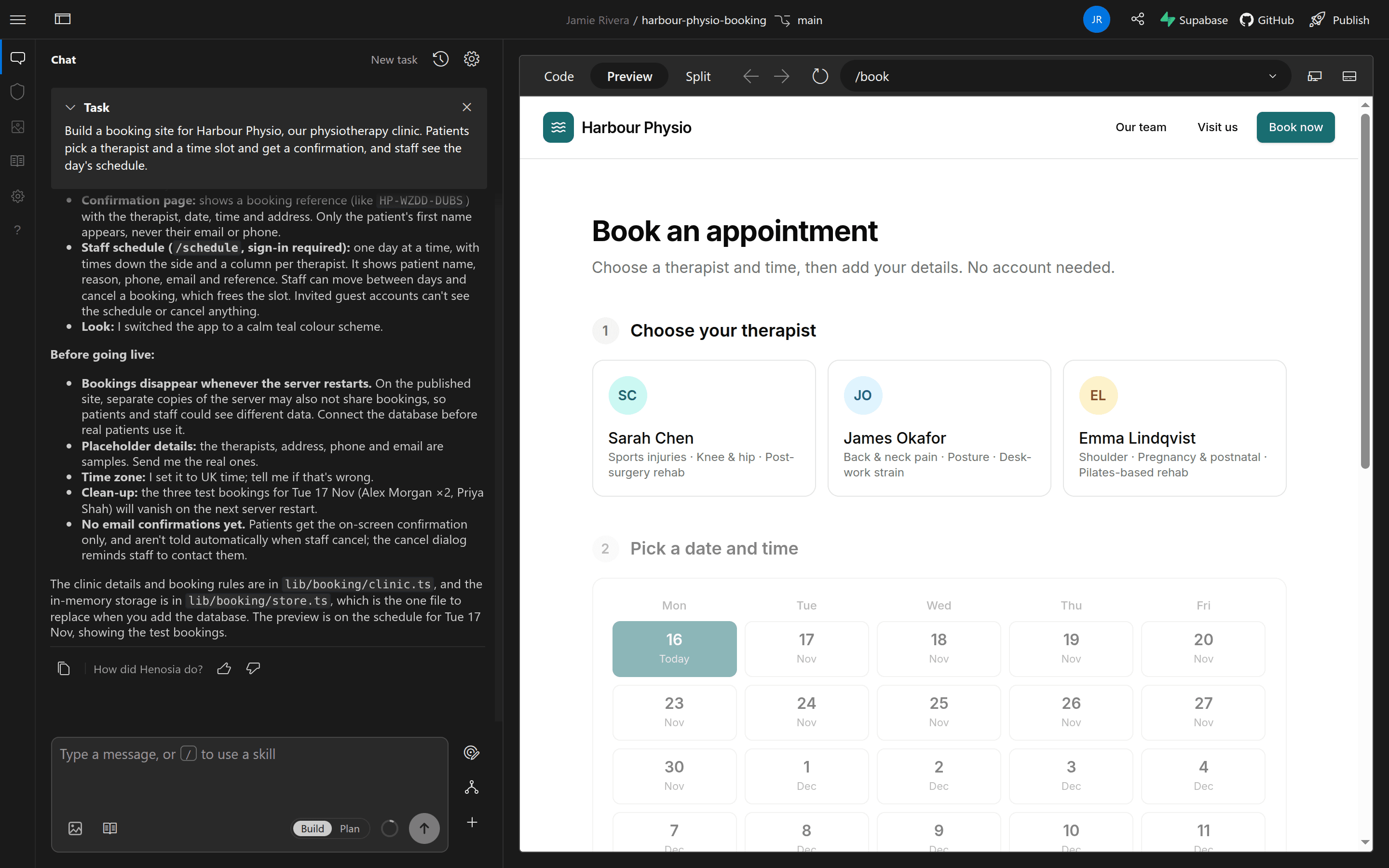
What teams build with Henosia
Operations leads, warehouse managers, finance heads, HR partners, clinic and service coordinators, and marketers use Henosia to replace fragile spreadsheets and email chains with web apps built around their team's rules:
- Requests and approvals: holiday trackers, purchase approvals, expense handoffs, and shift-swap requests where team leads approve items for their own department.
- Operations and handoffs: shift handoff logs, supplier delay trackers, stock and reorder calculators, and weekly operations report builders.
- Onboarding and internal guides: role-based onboarding checklists, handbook lookup tools, and customer or clinic intake forms.
- Interactive demos and prototypes: clickable product flows to test with colleagues or external partners before committing engineering time.
From first idea to a live team tool
- Plan before building: Sign in at app.henosia.com with your work account, pick a tailored idea from Build inspiration (or write your own prompt), and agree on the pages and rules in Plan before choosing Build this plan.
- Connect shared data and sign-in: Link a Supabase project so records persist across teammates with database Row Level Security. Most projects started from the dashboard include Henosia Auth, so published apps let only members of your Henosia organization sign in by default.
- Check security and test together: Review database Row Level Security and package advisories in the Security panel, and invite colleagues into the builder with Share to test and refine the app together.
- Publish for your organization: On a paid plan, publish your app to a
.netlify.appaddress. Teammates sign in with their work account and switch between company apps from the App Switcher.
Where to start
Sign in and onboarding
Sign in with your work Google, Microsoft, or company email account and generate starter ideas with Hep.
Build and share your first team tool
Follow one team holiday-request tool from Build inspiration through Plan, Supabase, Security, sharing, and publishing.
Dashboard
Start new projects, reopen recent work, create from a template, or import a GitHub repository.
Prompting guide
Give Henosia the business rules, sample files, and visual direction that shape a strong first build.
Prompt library
Copy ready-to-adapt prompts for starting a tool, adding sign-in, connecting data, and preparing to publish.
Henosia Support
Reach the team on Discord or at support@henosia.com when you have questions.
Looking for governance, team setup, or code reference?
- Team leads and organization admins: collaborate in real time (Work with your team), share reusable rules across projects (Organization skills), and compare plans on Pricing plans and Current prices.
- IT, security, and governance reviewers: check work-account sign-in rules (Sign in and onboarding), published app access controls (Henosia Auth), database Row Level Security and package checks (Security panel), server-side secrets (Environment settings and secrets), and Self-hosted Supabase.
- Technical builders: save project conventions in
AGENTS.mdand skills, inspect and edit source files in Preview and code, or sync repositories with GitHub. - AI agents and coding tools: append
.mdto any documentation URL for clean Markdown, or read the full index at docs.henosia.com/llms.txt.