Build with the agent
Work as you usually do
Use your usual prompts and follow up as the work develops. The agent explores your project, works through the task, and checks its work before it hands back to you.
Plan together
New tasks start in Plan. Describe what you want, and the agent looks through your project before it answers with a plan:
Build a booking site for our physiotherapy clinic. Patients pick a therapist and a time slot and get a confirmation, and staff see the day's schedule.
Reply to change the plan, and the agent writes out the full updated plan. When the plan is right, choose Build this plan.
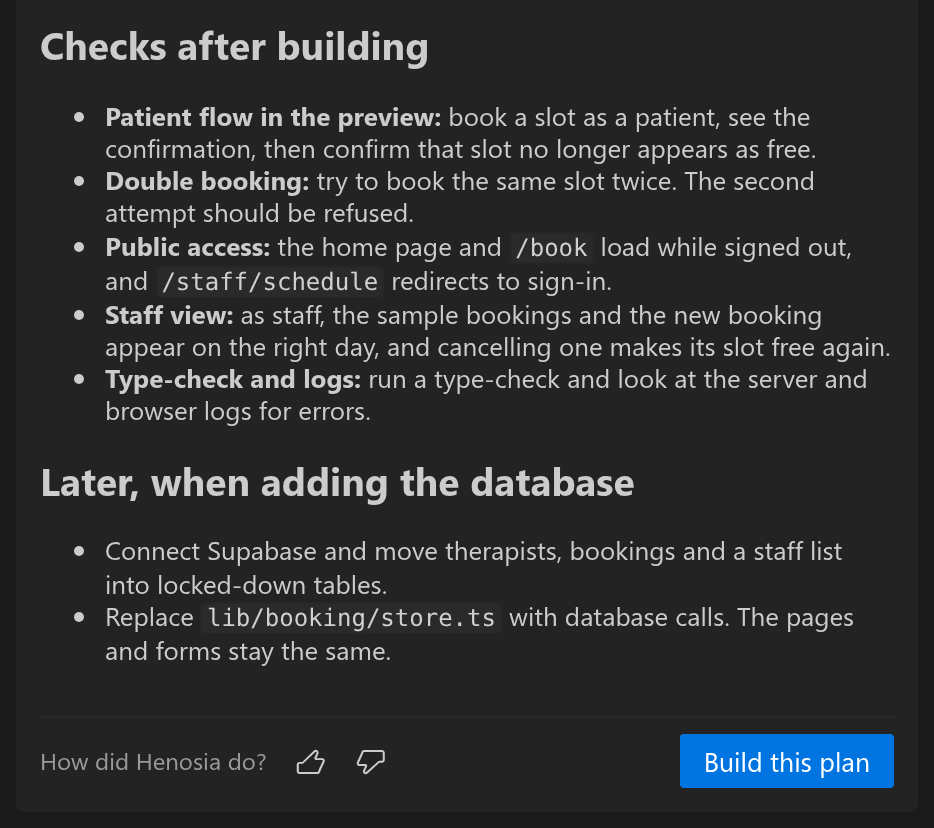
While it plans, the agent reads your code, runs commands, and looks at the preview, but it doesn't change your project files. If your next instruction is already clear, switch to Build and send it.
Take on bigger ideas
You can hand the agent a whole feature in one message, such as a booking site with a staff schedule. It works through the job without stopping to ask whether it should continue.
As a conversation grows, the agent condenses older messages into a summary for itself and carries on. Your chat stays as it was, and you see a short notice when this happens. The plan you approved stays in force word for word, so a long build still follows what you agreed on.
A long conversation is no reason to start over. Start a new task when you begin a separate piece of work.
Follow and steer the work
The agent groups its steps into progress updates, such as "Henosia created 3 files". Open an update to see each step. Message types shows everything that can appear in the chat.
When the agent asks a question, choose an option or answer in your own words.
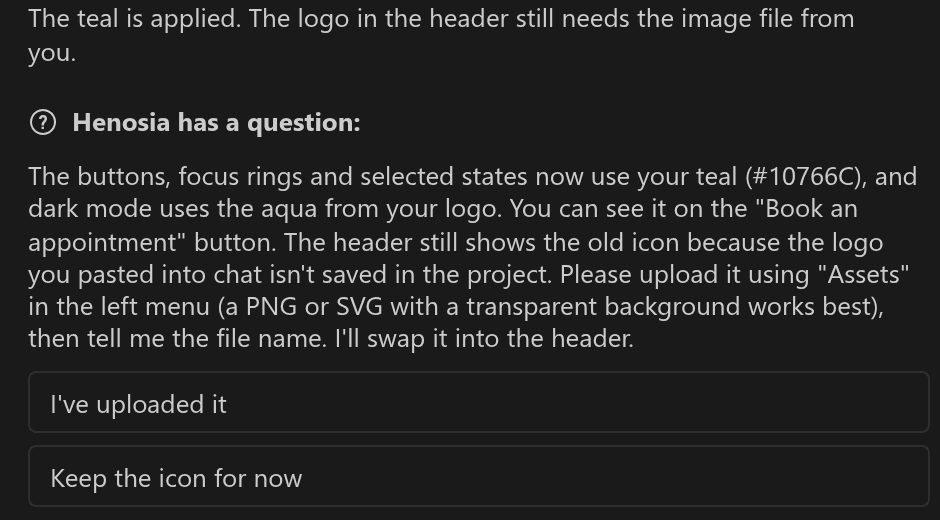
The agent asks for permission only before it does something that reaches outside your project, such as sending a message, deploying, or spending money. The request says what it wants to do and what it affects. Choose Show command to see the exact command.
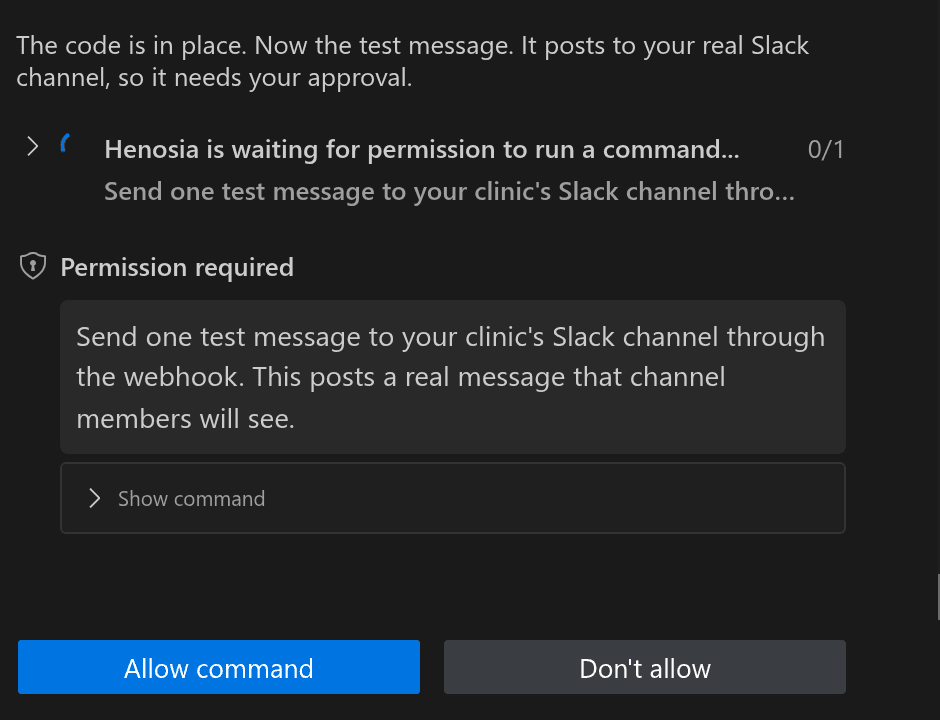
Approval requests wait until someone responds. If you send a message instead, Henosia declines the action and reads your message.
Use Stop when you need the agent to stop working. Stopping does not undo changes it has already made.
Review and restore changes
When the agent finishes, it tells you what it built, what it checked, and what it couldn't check. Try the result in your preview and ask for changes if it isn't quite right.
Henosia creates checkpoints as it works. Choose Compare on a checkpoint to see every file that changed since that point.
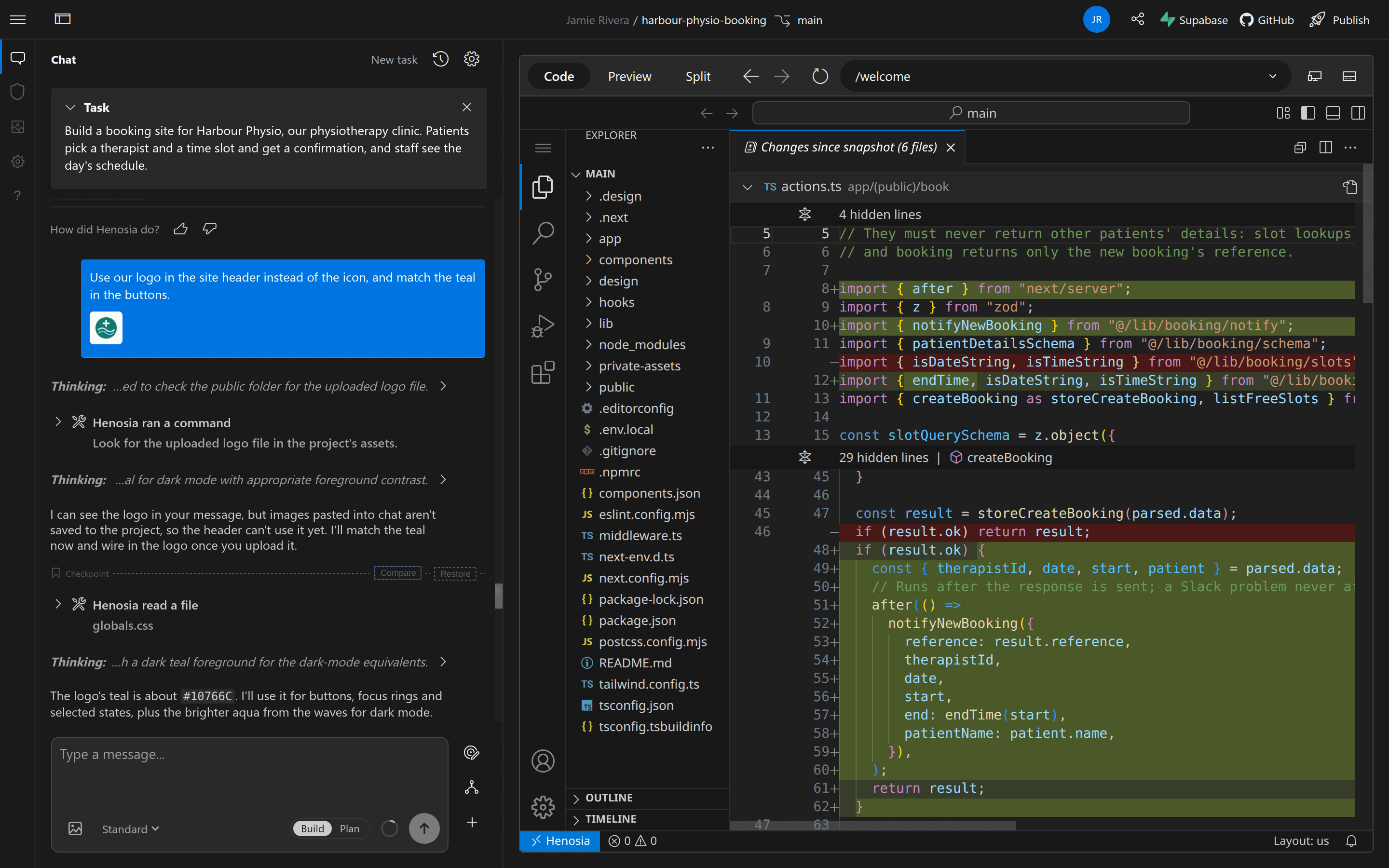
To go back, stop any active work, then choose Restore on the checkpoint. You can restore the project files, the task, or both. Restoring project files undoes later changes, so compare first if you're unsure. Restore explains each choice.
Work with your team
You and your collaborators follow the same conversation and see the agent's progress together. Each person can browse other tasks and preview pages without interrupting the agent or changing what others are viewing.
One agent works on the project at a time. Collaborators can answer questions, approve or decline actions, stop the agent, and compare or restore changes. Let your team know before restoring shared work.
Send feedback
After a response, use thumbs up or thumbs down under How did Henosia do? and add a written note when you can. This connects your feedback to the exact response that needs attention.
You can also use Help in Henosia to send feedback by email or talk to us on Discord. See Henosia Support for the general support channels.