Compare
To see exactly which files Henosia changed, choose Compare on a checkpoint in your chat. Henosia creates checkpoints as it works.

Compare opens the code view and shows every file that changed since that checkpoint. Removed lines are red and added lines are green.
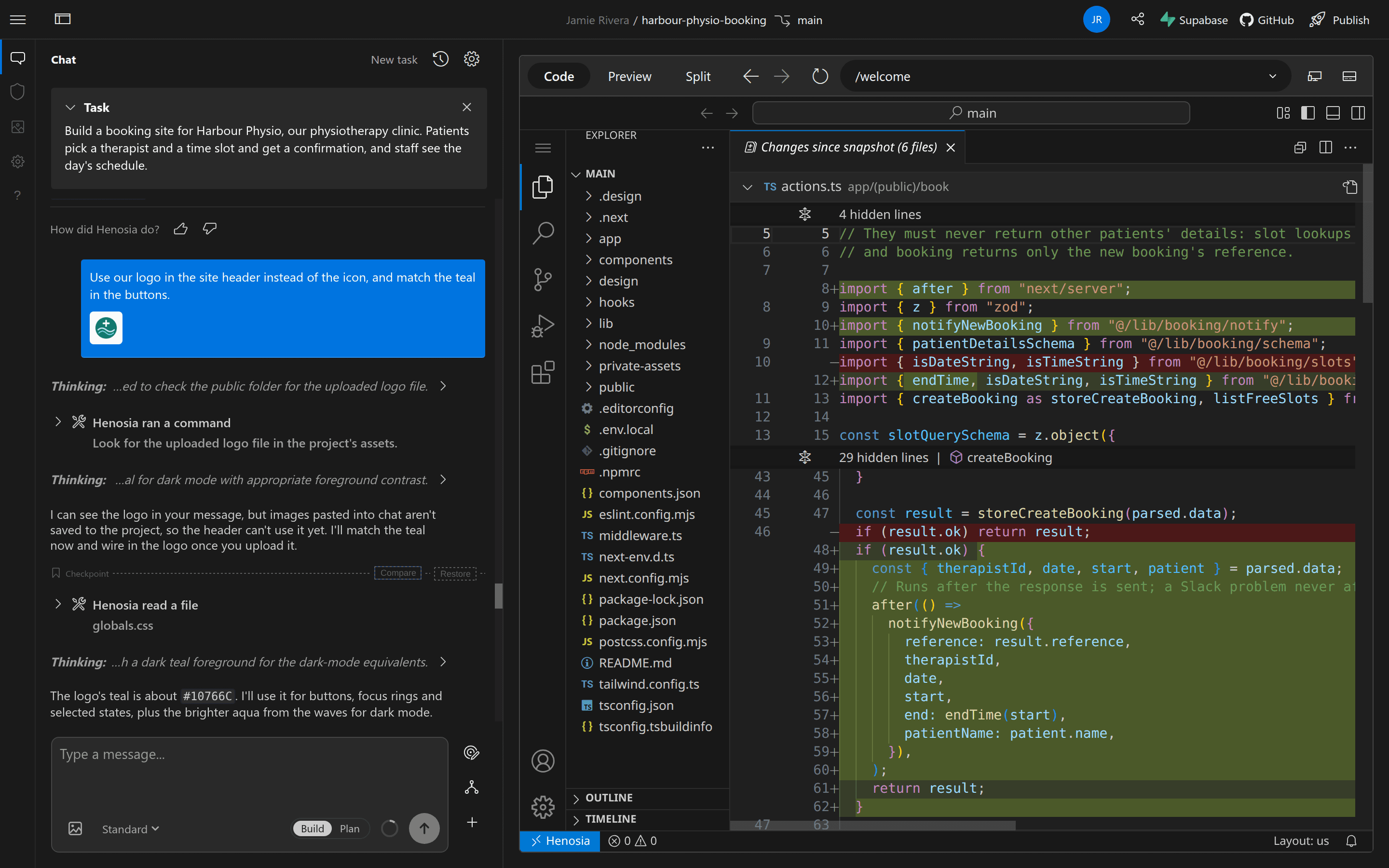
Use Compare before you restore to see what restoring would undo.